Featured
Architecture
Architecture diagrams with the C4 model and LikeC4
A practical introduction to the C4 model and LikeC4: how to describe a software system as code, generate layered architecture views, and keep those diagrams in git.
Nilushan Silva
8 min read
In This Article
Use the headings in the article to navigate
Tags
architecture
diagrams
C4 model
documentation
software design
Software architecture is hard to talk about without pictures. A good diagram shows who uses the system, what the main parts are, and how those parts talk to each other. A bad diagram is a slide that nobody updates after the first design review.
I have used a lot of drawing tools over the years — Lucidchart, draw.io, and others. They are fine for a one-off picture. They fall apart when the system changes every sprint and you have five slightly different versions of “the architecture” living in Confluence.
That is why I prefer diagrams as code. You describe the system in a text file, generate the pictures from that file, and review the change in a pull request the same way you review application code.
For software architecture specifically, I use the C4 model and a tool called LikeC4.
The C4 model
C4 is a way of drawing software systems at four zoom levels. You do not put every box on one canvas. You start wide and drill in.
- Context — the system as a single box, the people who use it, and the neighbouring systems it talks to. This is the picture for anyone, including non-engineers.
- Containers — the separately deployable parts inside the system: a web app, an API, a database, a worker, a mobile client.
- Components — the main building blocks inside one container: modules, services, or packages and how they call each other.
- Code — classes or functions, used rarely, and only when a component is genuinely hard to explain.
The value is the hierarchy. A product manager can stay on the context view. An engineer joining a service can open the container view and then one component view. Nobody has to decode a 40-box whiteboard photo.
Why LikeC4
LikeC4 is a small language for writing a C4 model and then projecting views from that model.
That split matters:
- The model is the source of truth: people, systems, containers, relationships, a bit of metadata.
- A view is a query over the model: “show the whole landscape” or “show this system and its database tables.”
You do not redraw the same boxes on five slides. You describe the system once and ask for different pictures.
Other useful properties:
- The source is a
.c4or.likec4file, so it lives in git. - Layout is automatic. You spend time on structure, not on lining up arrows.
- The local preview is a small website you can click through, not a static PNG.
Setup
You need Node.js. Then pick a folder, create a model file, and start the preview.
mkdir c4like-diagrams
cd c4like-diagrams

touch tutorial.c4
npx likec4 startLikeC4 watches the folder, renders the model, and opens a local site. The official walkthrough is on likec4.dev/tutorial.
A first model
The file below is a small SaaS: a customer, a frontend, a backend, a database, plus Stripe and SendGrid on the outside.
A LikeC4 file has three blocks.
specification— the vocabulary. What kinds of things exist (actor,system,component,database) and any tags or relationship types you want.model— the actual system. Nested blocks become containment. Arrows become relationships.views— which slices of the model to draw.
specification {
    element actor
    element system
    element component
    element database
    element table
    element externalsystem

    tag nextjs
    tag microservices

    relationship async
    relationship uses
}

model {
    actor customer 'Customer' {
        description: 'Our dear customer'
        style {
            shape person
        }
    }

    system saas 'Our SaaS' {

        component ui 'Frontend' {
            #nextjs
            style {
                icon tech:nextjs
                shape browser
            }
            metadata {
                version '1.1.0'
            }
        }

        component backend 'Backend Services' {
            #microservices
            description 'Nextjs application, hosted on Vercel'
            technology 'Nextjs, Nodejs'
        }

        component database 'PostgreSQL' {
            description 'Backend database'
            technology 'PostgreSQL'
            style {
                shape storage
                icon tech:postgresql
            }

            table customers 'Customers table'
            table orders 'Orders table'


        }

        ui -> backend 'fetches via HTTPS'
        backend -> database 'data access'
    }

    component external 'External Systems' {

        externalsystem stripe 'Payment System' {
            description 'Stripe payment gateway'
            link https://stripe.com
            // icon tech:stripe
        }

        externalsystem sendgrid 'Email System' {
            description 'Sendgrid email service'
            link https://sendgrid.com
        }

    }

    customer -> ui 'opens in browser'
    customer -> saas 'enjoys our product'
    saas.backend -> external.stripe 'process payment'
    saas.backend .async external.sendgrid 'send email'


}

views {
    view index {
        include *
    }


    view of saas {
        include *
        include database.*
        include external.*

        style customer {
            color muted
        }
    }
}
A few things to notice:
- Nesting is containment.
ui,backend, anddatabasesit insidesaas. The two tables sit insidedatabase. - Relationships can be qualified (
saas.backend -> external.stripe) so you do not need unique names everywhere. .asyncmarks the email call as asynchronous. That is just a relationship kind from the specification.view of saasstarts from that system and then pulls in extra detail (database.*,external.*). The landscape view (index) stays high level.
Generated views
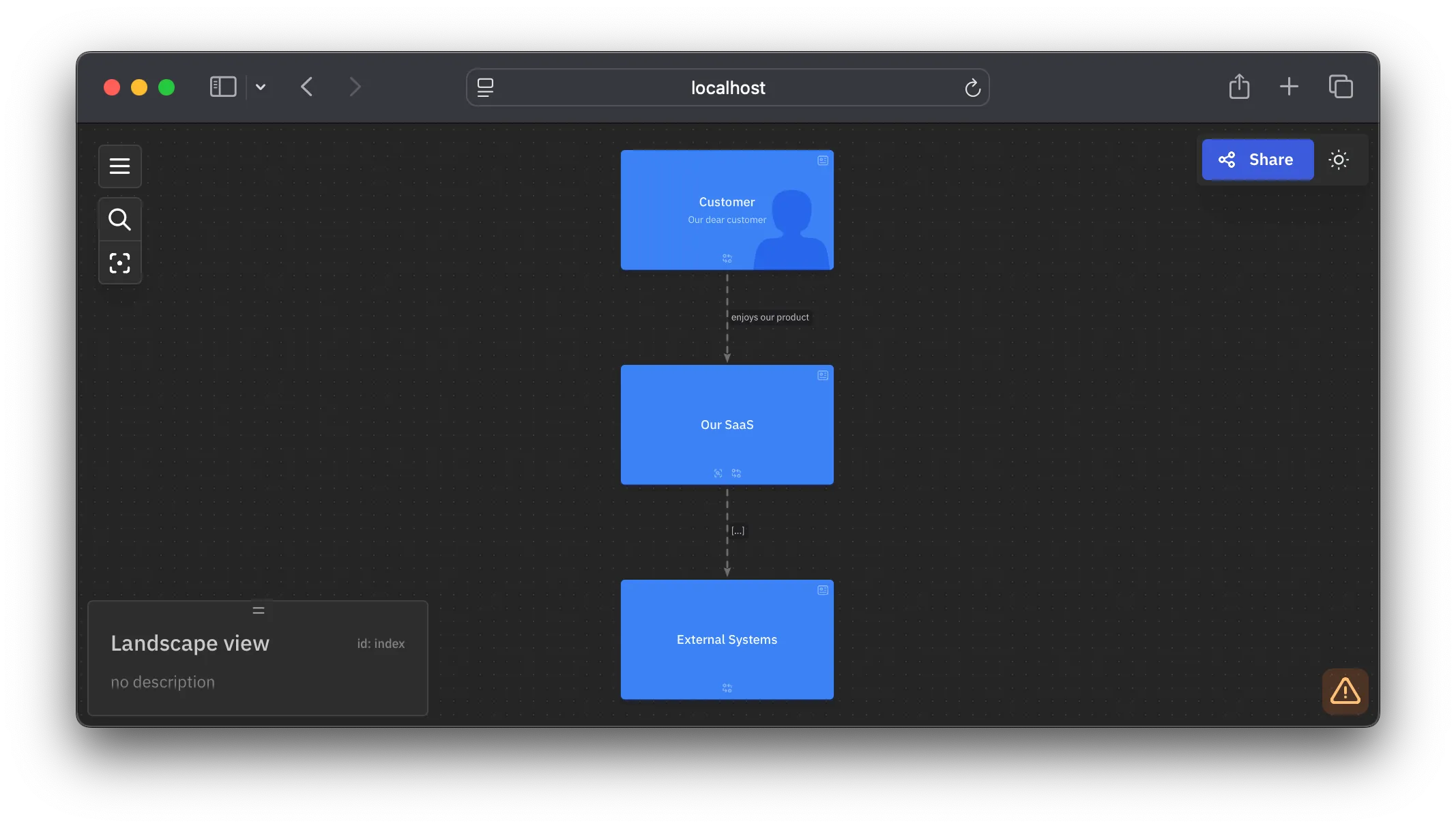
The same model produces several pictures. These are from a hosted copy of the example.
Overview: c4likelearn.nilushansilva.info
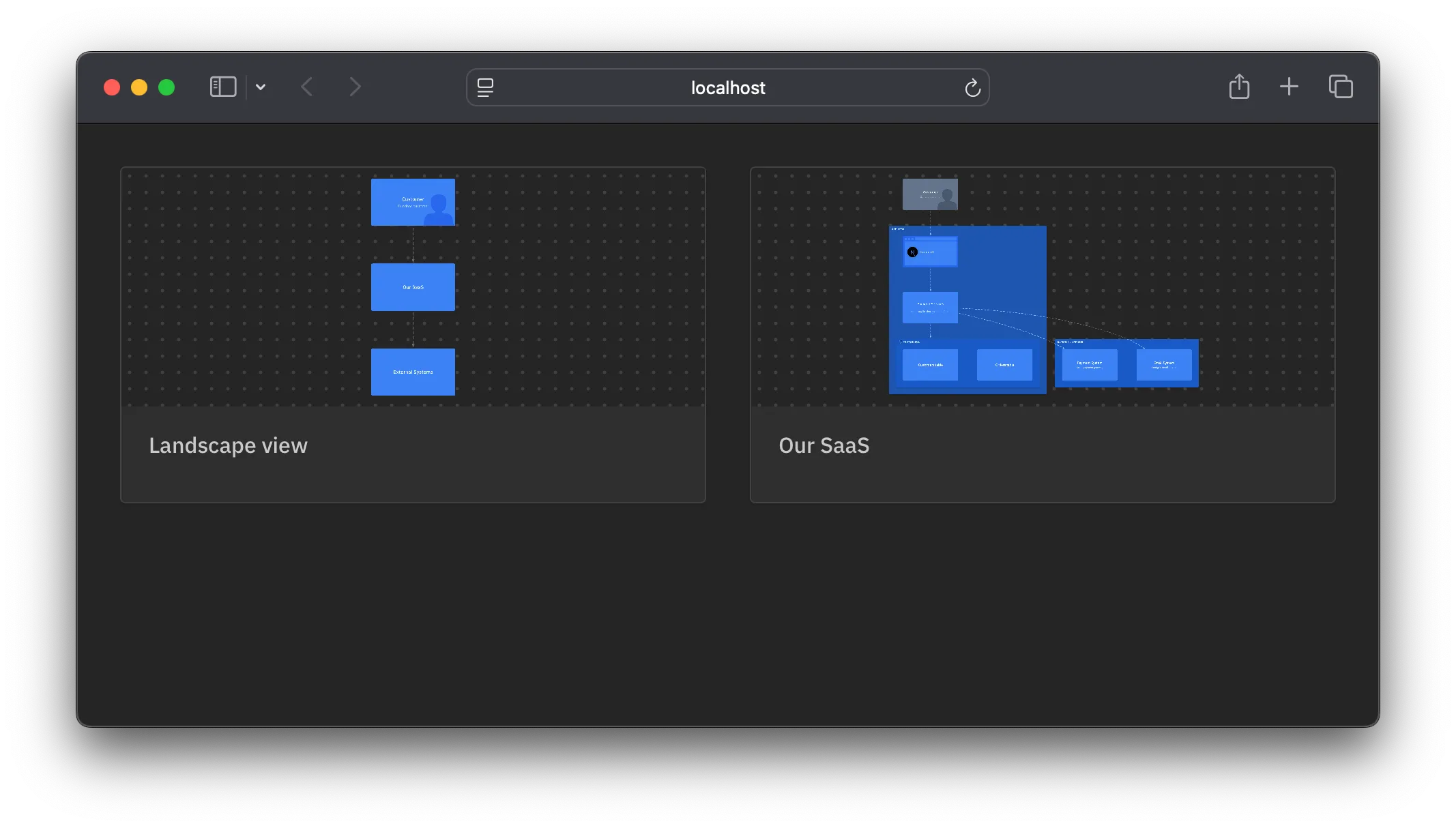
Landscape view: c4likelearn.nilushansilva.info/view/index
SaaS view: c4likelearn.nilushansilva.info/view/view_1c9nbub
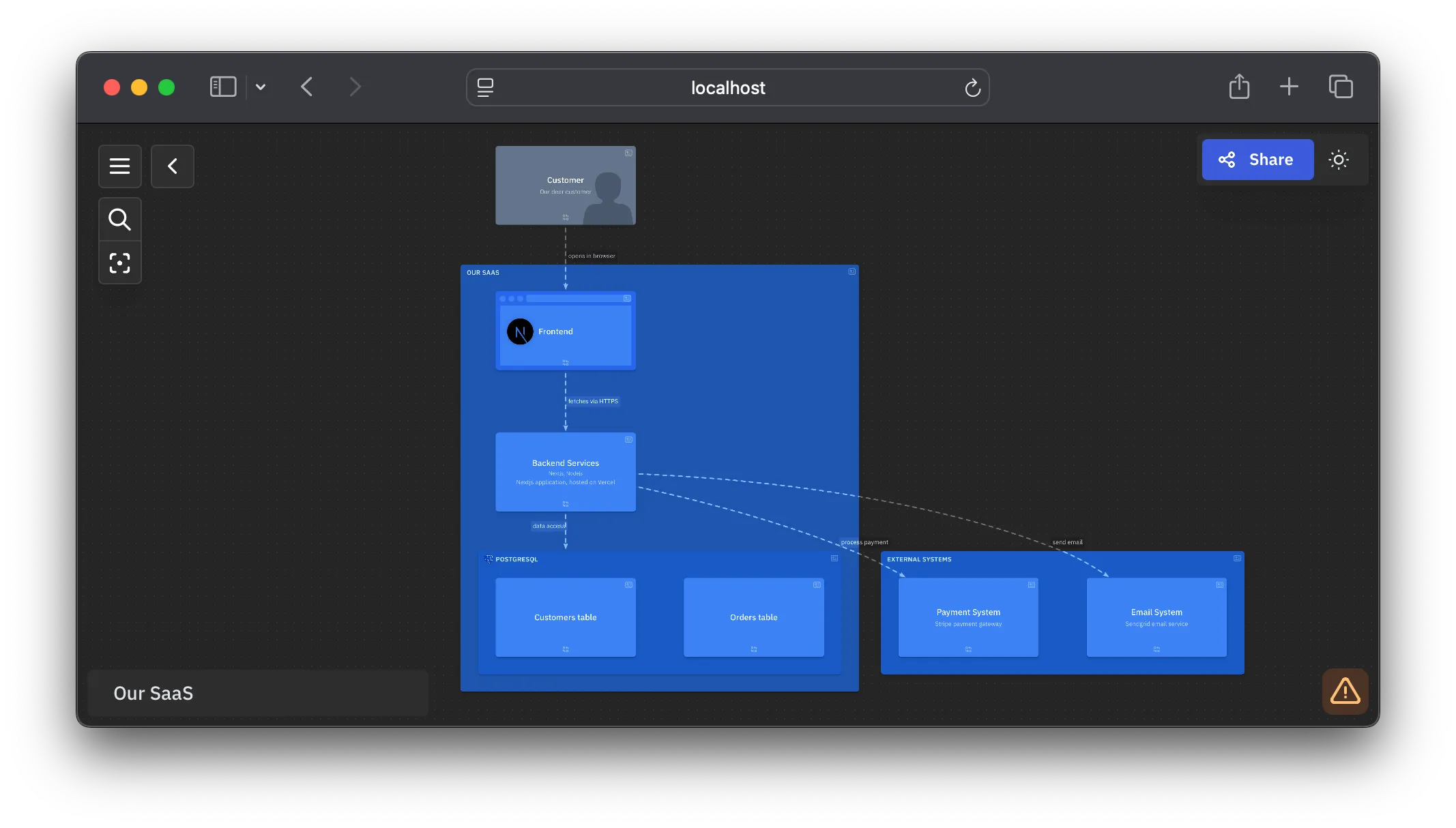
Click through the live site if you want to see how LikeC4 lets you zoom from the landscape into a single system.
After the tutorial
The example is small on purpose. The same three blocks — specification, model, views — are enough for a real platform: more people, more containers, sequence-style flows, and a deployment view.
I used that approach on a production smart-home IoT platform and published the model as Diagramming a Smart-Home IoT Platform with C4. The diagrams there are generated from LikeC4 source, not redrawn by hand.